

Content:
- Learning to Fly in Battlefield 6
- The Golden Rule — A Jet Is Always Moving
- The Three Control Layouts
- Button Binding Essentials
- Aircraft Loadouts and Current Bugs
- Understanding Speed and Loop Maneuvers
- CCIP Crosshair — Helpful but Distracting
- New Jet Features — Thrust Vectoring and Smart Missiles
- Ground-to-Air Threats and Radar Avoidance
- Training and Dogfighting Practice
- Final Thoughts — Why Jets Are Worth Learning
Learning to Fly in Battlefield 6
Aviation in Battlefield has always been a world of its own — an elite circle of pilots who seem untouchable to most players.
In Battlefield 6, that reputation continues, but the updated flight mechanics and new control options finally make it more accessible to newcomers.
If you’ve always wanted to try flying but never dared, now’s the time.
This guide breaks down everything — from control setup and basic movement to dogfight tactics and new jet mechanics.

The Golden Rule — A Jet Is Always Moving
Unlike tanks or infantry, a jet can never stop. Its motion defines its survival.
The key concept to remember is pitch (nose movement) vs yaw (side movement):
- Pitch is ten times faster than yaw in Battlefield 6.
- This means you should align your target along your jet’s vertical axis rather than trying to turn horizontally.
For example, when chasing a helicopter flying perpendicular to your path, don’t waste time compensating with slow yaw movements.
Instead, roll your plane sideways and use pitch to sweep through the target’s path — your aim will track much faster.
The Three Control Layouts
Battlefield 6 offers three main control setups for aircraft:
- Default Layout — Roll on the mouse, yaw on keys.
- Infantry-Style Layout — Roll on keys, yaw on mouse (good for beginners).
- Advanced Layout (Recommended) — Roll and yaw on the mouse.
This third setup creates an “automatic alignment” effect:
- When the target is near the screen’s center, you fine-tune with slow yaw.
- When it drifts toward the edge, the jet naturally banks, giving you faster pitch control for tracking.
It feels natural, fluid, and once mastered — unstoppable in air duels.
If you’re struggling with sensitivity or smooth motion tracking, personalized sessions via Battlefield 6 Coaching can help tune your muscle memory and refine dogfight reflexes quickly.
Button Binding Essentials
Here’s a clean setup for efficient piloting:
- Exit vehicle: F (or any key far from your core inputs)
- Camera toggle (1st ↔ 3rd person): C or S
- Target marking: Q and mouse wheel click
- Throttle up/down: W / S
- Yaw: Mouse left/right (also bound to side mouse buttons for redundancy)
- Pitch: Mouse up/down + duplicate on Space/Alt (critical for loops)
- Roll: A / D (also bound to mouse axis)
- Free look: Left Ctrl
- Afterburner: Shift
- Fire: Left click
- Weapon switch: Scroll wheel
- Flares: X
- Bombs: Z
Mouse sensitivity: 14; DPI: 800.
In Settings → Controls, set Sensitivity Multiplier to 200% for maximum responsiveness.
This parameter determines how sharply the plane reacts — essential for maneuvering under pressure.
Disable Camera Rotation with Plane (third person) to maintain spatial awareness, and enable Uniform Aiming = ON with Coefficient = 0 for smoother aim transitions.
Aircraft Loadouts and Current Bugs
For now, aircraft customization is not available — each jet or strike plane has a fixed loadout.
Strike Jet loadout:
- Autocannon
- Laser-guided missiles
- Flares
- Bombs
- (Radar — currently non-functional)
Stealth Jet loadout:
- Autocannon
- Air-to-air missiles (temporarily disabled due to bugs)
- Flares
Since you can’t choose equipment, the real optimization lies in operator selection.
Pick an Engineer with the Combat Engineer specialization — it reduces weapon overheating by 50%, letting you fire the autocannon longer before cooldown kicks in.
Understanding Speed and Loop Maneuvers
Looping is fundamental to both survival and dogfighting.
In Battlefield 6, the loop speed depends on your velocity — the sweet spot is around 350 km/h.
Maintain that speed when turning or chasing another jet’s tail.
To check your speed, glance at the small HUD number (bottom corner). It’s comically tiny — you’ll need good eyesight or patience.
Until DICE fixes it, practice reading the movement rhythm rather than relying on the UI.
Quick-Loop Technique
- Start a loop while holding Afterburner.
- Hold Yaw in the same direction as the loop (if looping left, yaw left).
- Compensate roll gradually as the loop tightens.
This creates a compact loop — perfect for staying mobile in third-person view without overcompensating on controls.
CCIP Crosshair — Helpful but Distracting
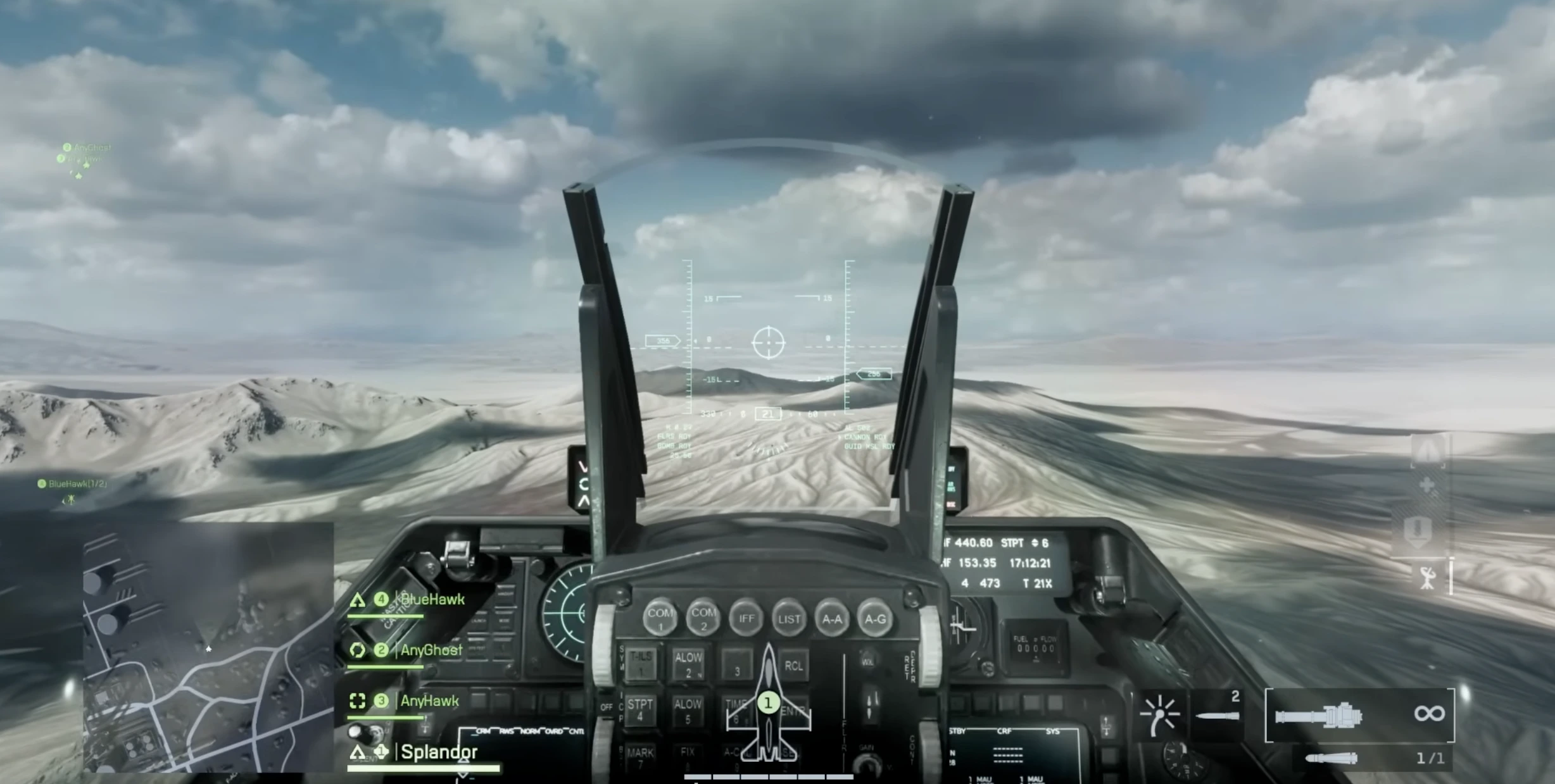
The large circular reticle (CCIP) indicates where autocannon shots will land.
In theory, it’s a powerful aiming assist.
In practice, it’s jittery, oversized, and blocks vision during intense maneuvers. Unfortunately, there’s no way to disable or resize it yet.
The best advice: train yourself to ignore it and focus on predicting your target’s movement instead of watching the crosshair wobble.
New Jet Features — Thrust Vectoring and Smart Missiles
Battlefield 6 introduces thrust-vectoring control for the Stealth Jet.
It looks spectacular and, when used right, allows evasive stunts and cinematic moves.
How to perform:
- Fly with Afterburner active.
- Tap the Brake to trigger thrust-vector response.
- Use in short bursts to cut loops, decelerate sharply, or fake an exit during a chase.
Hold too long, though, and you’ll stall — so keep taps brief and controlled.
Strike Jets also gained a rear camera missile lock — allowing you to guide rockets over your shoulder mid-climb. Combine this with bombs and cannon fire for devastating attack runs against tanks and AA units.
Ground-to-Air Threats and Radar Avoidance
Every pilot’s nemesis: SAM missiles and Stingers.
They now have no height limit — even at 1 km altitude, you can still be locked on.
The safest counter? Fly low.
Jets have a passive “Below Radar” mechanic that makes them invisible to locks when hugging the terrain.
Use terrain dips, city structures, and hills to break line-of-sight.
If hit, fly toward the base maintenance zone — marked by a jet icon.
Flying through it repairs health and refills ammo, but note: it has shared cooldown across your entire team.
Training and Dogfighting Practice
The best place to train is in Portal Mode.
From the main menu:
- Go to Community → Server Browser
- Open Filters and type “Plane”
- Click Apply Filters, then join any server labeled Air Practice / Jet Training
Start by practicing the nose-up swap — alternating between keyboard and mouse inputs so smoothly you can’t tell when control switches.
This sync helps during high-speed turns and quick vertical climbs.
There aren’t many long dogfights right now; the time-to-kill is brutally short. Usually, the first pilot to line up a clean burst wins in half a second. Precision matters more than endurance.
When you’re ready to climb into public matches, structured drills through Battlefield 6 Beta Challenges can help you track your progress and turn practice into measurable skill growth.
Final Thoughts — Why Jets Are Worth Learning
At this stage of Battlefield 6, jets might be the most entertaining part of the entire game.
They combine explosive power, mechanical depth, and pure visual satisfaction — and thanks to new systems like thrust vectoring and missile guidance, they finally feel modern again.
It takes patience and repetition to get comfortable, but the payoff is huge: freedom, speed, and the unmatched feeling of outmaneuvering another pilot mid-loop.
So don’t hesitate — get in the cockpit, tune your bindings, and start flying.
It’s difficult at first, but once it clicks, you’ll understand why the best Battlefield players always end up in the sky.