
Content:
1. Introduction
Updated 12 October 2026. This guide is about hardware: it does not depend on a WoW patch, but the macro rules and the in-game tools below are current for Midnight.
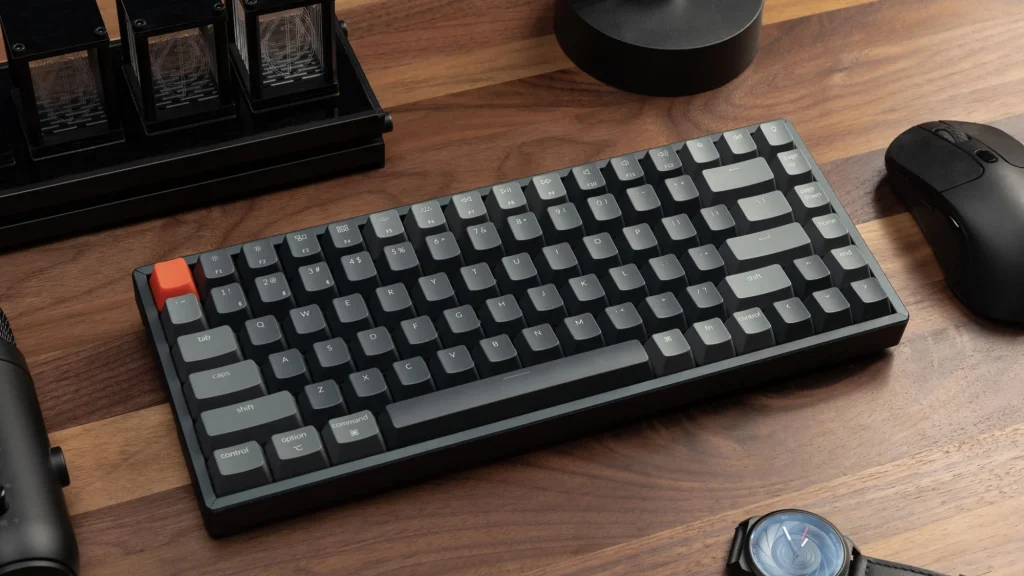
A WoW keyboard has to be comfortable for long sessions and reliable when you press many keys in quick succession. This guide covers what matters for WoW: switch type, layout, macro keys and durability, followed by example models and a mouse section at the end.
| Question | Short answer |
|---|---|
| Which switch type? | Linear (Cherry MX Red type) or tactile without a click (Cherry MX Brown type); clicky switches are loud |
| Which layout? | At least tenkeyless: WoW does not need a number pad |
| Do I need macro keys? | Not for PvE. Keep one key to one in-game action (see the macro rules below) |
| What about the mouse? | Side buttons help in PvP. See the Mouse section |
Our guide to PvP key bindings shows how to lay out your keys before you buy anything.
2. Switch Types: Mechanical for the Win
Switches are the most important part of a mechanical keyboard. The three common Cherry MX types behave like this, according to Cherry’s product pages:
| Type | Feel | Actuation force | Travel | Rated life |
|---|---|---|---|---|
| Cherry MX Red (linear) | Smooth, no bump, no click | 45 cN | 2.0 mm before it registers, 4.0 mm total | Over 100 million keystrokes |
| Cherry MX Brown (tactile) | A bump without a click | 45 cN in the properties table (55 cN in the highlights) | 2.0 mm, 4.0 mm total | Over 100 million |
| Cherry MX Blue (clicky) | A bump and an audible click | 50 cN in the properties table (60 cN in the highlights) | 2.2 mm, 4.0 mm total | Over 50 million |
- Linear (Red type) is the fastest and lightest. If your hand is heavy, you may press a cooldown by accident.
- Tactile (Brown type) gives feedback without the noise. It works for both PvE and PvP.
- Clicky (Blue type) is good for typing but loud in voice chat.
Other makers (Gateron, Kailh, optical and magnetic switches) use the same three categories. Cherry’s own pages give small differences between tables, so the numbers above are the manufacturer’s ranges, not measurements.
3. Keyboard Format: Full-Size, TKL, or 60%
For WoW most players need at least a tenkeyless (TKL) layout, because the number pad is rarely used in combat. The space you save gives your mouse more room for fast turns.
| Layout | What it has | Trade-off |
|---|---|---|
| Full-size | All keys and a number pad | Takes the most desk space |
| TKL (tenkeyless) | No number pad, keeps arrows and function keys | The common choice for WoW |
| 75% | Compact, keeps arrows and a function row | Smaller; fewer spare keys |
| 60% | Letters, numbers and basic keys only | No arrows or F-keys; you need layers for extra binds |
Backlighting: RGB
RGB is mostly cosmetic, but color groups can help you find keybinds in a dark room (for example blue for cooldowns, red for interrupts, green for healing). Switch it off if it distracts you.
Extra Macros and Programmable Keys
Some keyboards have dedicated macro keys. Be careful here. Blizzard’s rules ban third-party tools that automate gameplay. Blizzard’s forum community treats “one key press, one action” as the safe line: a key that sends several spells in sequence, with delays or conditions, is treated as automation and carries a ban risk. We found no Blizzard page that names specific peripheral software, so if you use macro keys, program one key to one in-game action. For chains of actions, use WoW’s own macro system, which is allowed, and for rotations use Blizzard’s built-in Single-Button Assistant (see our guide).
Durability and Reliability
Look for well-known switches (Cherry, Gateron, Kailh), a solid case with a metal plate if possible, a braided cable, and PBT keycaps. Cherry’s linear and tactile switches are rated for over 100 million keystrokes; a keyboard can fail for other reasons, so a warranty matters too.
Newer Switch Technology
Hall-effect (magnetic) keyboards such as the Wooting 80HE let you adjust the actuation point and use features like rapid trigger, and the Wooting 60HE v2 supports an 8,000 Hz polling rate (RTINGS). Those features were built for shooters. In WoW, where a button press triggers a spell on the global cooldown, the main benefit is adjustable sensitivity, not speed. This is our assessment, not a measured result.
4. Top Mechanical Keyboards for World of Warcraft: Model Reviews and Recommendations
These are the models from the original version of this guide, listed with their main traits. Most are 2019 to 2021 designs, so check whether the maker has a newer version before buying. We have not checked current prices or availability.
| Model | Layout and switches | Strength | Weakness |
|---|---|---|---|
| Keychron K2 | 75%, hot-swappable switches, wireless | Compact all-rounder with good build | Few macro keys; taller profile may need a wrist rest |
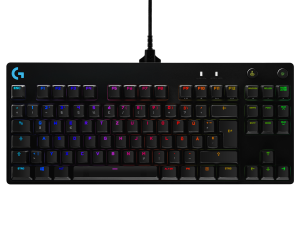
| Logitech G Pro X | TKL, swappable switches | Compact and responsive; good for PvP | No dedicated macro keys |
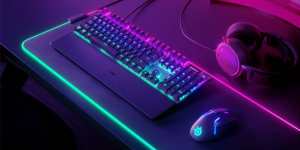
| SteelSeries Apex Pro | Adjustable OmniPoint switches, OLED screen | Customisable actuation | Expensive |
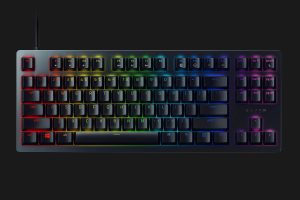
| Razer Huntsman Tournament Edition | Compact, optical switches | Fast actuation, compact | Loud in a quiet room |
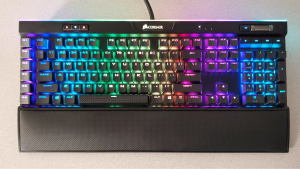
| Corsair K95 RGB Platinum XT | Full-size, dedicated macro keys, wrist rest | For players who use many binds | Large |
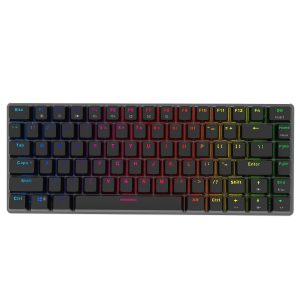
| Ajazz AK33 | Budget, compact, no RGB | Low price | No RGB or macros |
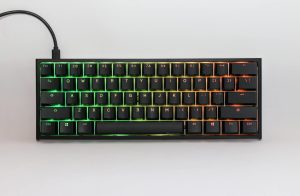
| Ducky One 2 Mini | 60%, Cherry MX switches | Compact and well made | No arrows, no macro keys |
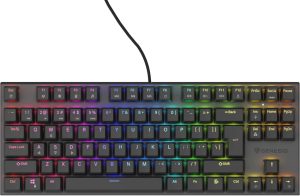
| GENESIS Thor 303 TKL | TKL, mechanical switches, RGB | Good for gaming and office use | No number pad |
Strengths and weaknesses follow the original guide and the makers’ descriptions. For a keyboard that suits WoW, the checklist is simple: tenkeyless or larger if you use many binds, a switch you are comfortable with, and a case that does not flex.
5. Conclusion
How to decide:
| If you… | Choose |
|---|---|
| mainly raid, run dungeons and chat | TKL with tactile switches |
| play arenas and want the smallest footprint | 60% or 75% with layers, plus a mouse with side buttons |
| use many binds on one hand | Full-size with macro keys, mapped one key to one action, or a mouse with a side panel |
| are on a budget | A basic TKL with linear or tactile switches |
Whatever you choose, learn your binds first. A keyboard cannot replace knowing which key does what.
Mouse: Side Buttons and PvP Binds
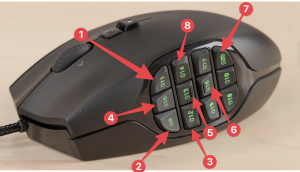
A mouse with side buttons lets you place frequently used abilities on the thumb, which frees the keyboard for movement. It is most useful in arena, where you switch targets and crowd-control quickly. The trade-off is that these mice take time to get used to.
Example mice
| Model | Notes |
|---|---|
| Razer Naga X | MMO mouse with a 12-button side panel; lighter and wired. Newer models in the line, the Naga V2 HyperSpeed and V2 Pro, have swappable side plates, including a 12-button MMO plate |
| Logitech G600 | 12 side buttons and a G-Shift modifier that doubles the commands. Reported discontinued (CDW listed it as discontinued in October 2023; Logitech made no official announcement) |
| SteelSeries Rival 500 | Side buttons arranged to reduce accidental presses. An older model, so check availability |
| Corsair Scimitar Elite | The current version is the Scimitar Elite Wireless SE with 16 customisable buttons and a slider to move the side panel; it is heavy |
| Redragon M908 Impact | Budget mouse with 12 side buttons; build quality below the big brands |
What to consider
- Number of side buttons: more buttons means more binds.
- Ergonomics and weight: arena games can be long; a mouse that fits your grip matters.
- Software: the same one-key-one-action rule applies as for keyboards.
Useful binds for side buttons
| Bind | Examples |
|---|---|
| Dispel allies | One thumb button for the class dispel |
| Stopcast | A button that cancels the current cast, so you can switch quickly to another spell |
| Spell reflection | Warrior or Warlock spell reflection (original guide’s example) |
| Crowd control on arena targets | Fear (Warlock), Polymorph (Mage), Cyclone (Druid), Hex (Shaman) |
| Stuns and incapacitates | Storm Bolt (Warrior), Imprison (Demon Hunter), Paralysis (Monk), Scatter Shot (Hunter) |
These examples come from the original guide. Check your specialization’s current talents, because ability availability changes between patches. A simple layout is to put stopcast on the first button, dispels and defensive targeting on the next two, crowd control on the following three, buffs after that and a movement ability on the last one; adjust to the number of buttons you have.